Last updated: October 15, 2026
TL;DR A warehouse migration to Palantir Foundry isn’t one move. Some tables should be copied into Foundry, some should stay where they are and be read as virtual tables, and some legacy logic should be retired, not ported. Migrate by data domain, starting with the Ontology. Use change data capture to keep sources in sync, run old and new in parallel with automated reconciliation, keep legacy reports alive with table exports, and plan the rollback before cutover. Our data integration engineering team runs these migrations.
Migrating a warehouse to Palantir Foundry means deciding per table what to copy, read in place through virtual tables, or retire, then moving domain by domain with change data capture, parallel runs, and reconciliation before cutover.
Nobody migrates a warehouse because they love migrations. They do it because the old one is slow to change, expensive to run, and impossible to connect to the decisions the business now wants to make in Foundry.
The risk is real. A McKinsey survey of roughly 450 CIOs and IT leaders, reported by RTInsights, found 75% of companies were over budget on cloud migration and 38% were behind schedule, with an estimated $100 billion in wasted spend over three years. Foundry migrations aren’t immune to any of that.
The good news is that Foundry gives you more options than a classic lift-and-shift. You don’t have to move everything. This guide covers what to move and what to virtualize, how to sequence the work, how to port SQL and ETL logic, how to run old and new in parallel, and how to cut over without breaking the reports finance runs every Monday. Our Pipeline Builder guide covers the integration tools themselves. This post is about strategy and cutover.
Should You Move, Virtualize, or Retire Each Table?
Move tables that feed Ontology objects, need versioning, or must be tested on branches. Virtualize large tables already well managed in Snowflake, Databricks, BigQuery, or OneLake. Retire logic that only existed to feed reports nobody uses. Most migrations use all three.
Foundry virtual tables let you query tables in supported platforms without first storing the data in Foundry. A virtual table acts as a pointer to a table in the source system. Supported sources include Snowflake, Databricks, BigQuery, Amazon S3, Google Cloud Storage, and OneLake with ADLS Gen2.
They come with tradeoffs Palantir spells out. Interactive performance may be slower than Foundry datasets, and virtual tables don’t get dataset versioning or branching. Palantir also notes the two approaches can be used together.
Here’s the decision table we use.
| Table or logic | Recommended approach | Why |
|---|---|---|
| Core business entities feeding the Ontology, like orders or assets | Move into Foundry | Needs versioning, branching, and stable keys |
| Very large fact tables already governed in Snowflake or Databricks | Virtualize | Avoids duplicate storage, can push compute to the source |
| Tables in SQL Server, Oracle, or Db2 that change constantly | Move with change data capture | Keeps Foundry current during the parallel run |
| Legacy marts built only for old reports | Retire after confirming no users | Porting dead logic costs the most and returns nothing |
| Reference data owned by another system | Virtualize or sync on schedule | Keep one system of record |
Compute pushdown makes virtualization more attractive. Foundry can push transforms to BigQuery, Databricks, or Snowflake while keeping Foundry’s lineage and security on top, as long as all inputs and outputs are virtual tables on the same source connection.
Our honest default? Move what the Ontology needs, virtualize the heavy history, and be ruthless about retiring.
How Should You Sequence a Warehouse Migration?
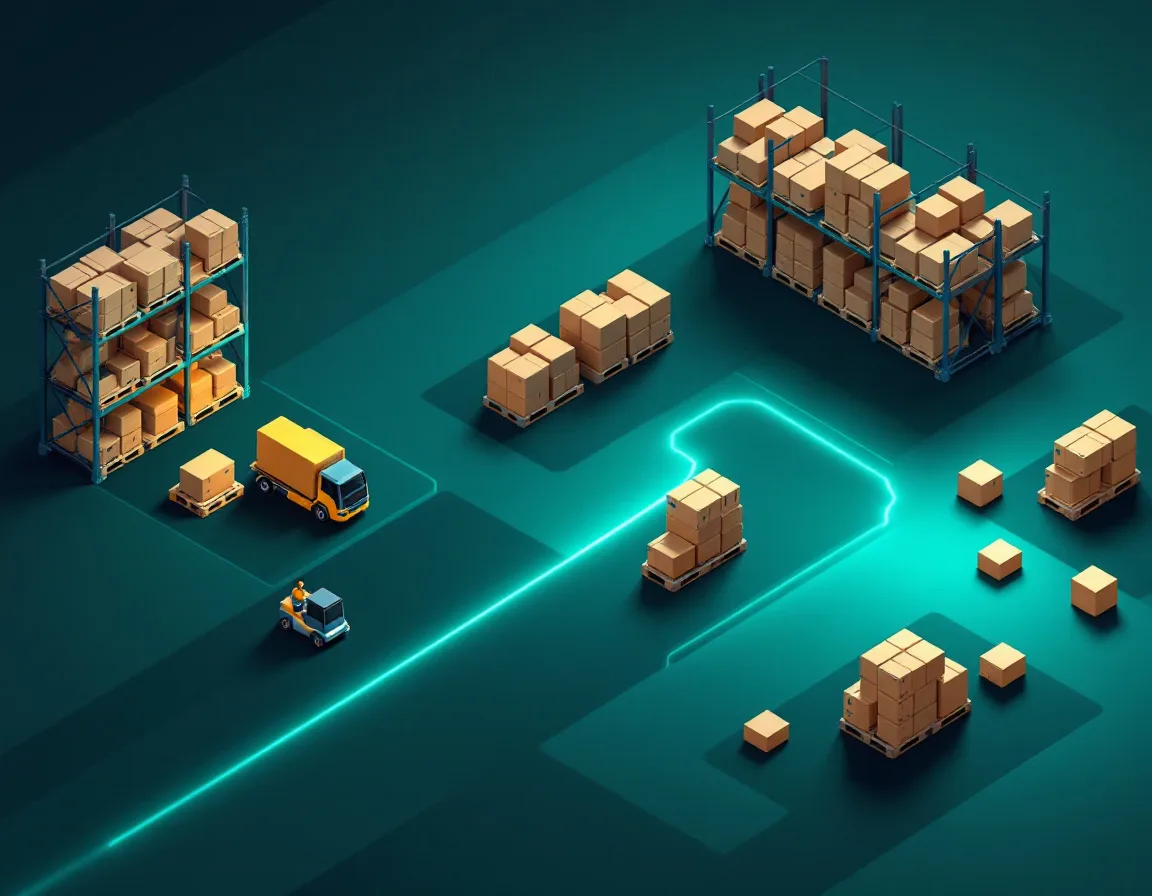
Ontology first, then migrate one data domain at a time, starting with reference and master data, then transactional data, then derived analytics. Reconcile each domain against the legacy system before retiring its old version. Never migrate everything at once.
Published case studies from Foundry migrations follow the same pattern. One reinsurance migration from Redshift designed the Ontology first and then moved domain by domain, with reference data and positions before derived analytics, checking each against the legacy version before retiring it. Another, from an Oracle HR warehouse, consolidated nine HR domains. These are implementer-reported, but the shape is consistent.
Here’s the sequence we use.
- Inventory every table, job, and report, with owners and last-used dates
- Design the Ontology objects the business needs first
- Pick a first domain that’s valuable but not the most tangled, like suppliers or assets
- Bring in reference and master data for that domain
- Bring in transactional data, using change data capture where sources change constantly
- Rebuild derived logic in Foundry and reconcile it against the legacy outputs
- Repoint consumers, then retire that domain’s legacy jobs
- Repeat for the next domain, and reuse what you learned
Step 1 always surprises people. In nearly every warehouse we’ve inventoried, a large share of jobs feed reports nobody has opened in months. Find them before you port them.
For scale reference, published Foundry migrations range from a 12 to 16 week Redshift move in one anonymized case, to multi-year programs migrating more than 10 petabytes from over 120 SQL Server databases and 100+ SSIS jobs. Domain count and source complexity drive the timeline far more than data volume.
How Do You Connect Legacy Databases to Foundry?
Through Data Connection. Foundry has built-in connectors for Oracle, SQL Server, Db2, PostgreSQL, SAP HANA, Snowflake, Redshift, Synapse, and others, with batch, incremental, and change data capture syncs. Warehouses not on the list, like Teradata, connect through a custom JDBC source.
The available connectors list is the place to start. For the two most common legacy sources:
- The Oracle connector supports batch, incremental, change data capture, and table exports as generally available. Its CDC uses Debezium and needs one-time configuration, privilege grants, and supplemental logging enabled per table
- The SQL Server connector supports batch, incremental, change data capture, and table exports as generally available
Change data capture works for Db2, SQL Server, Oracle, and PostgreSQL. Each changelog needs a primary key, an ordering column, and a deletion flag, and Foundry resolves the changes into a current view of the source. That’s what keeps Foundry in step with the legacy system during a long parallel run.
For sources not on the list, Palantir documents custom JDBC connections, which can read from most relational databases and warehouses. You supply the JDBC driver.
Get your DBAs involved early. Supplemental logging, service accounts, and firewall rules take longer than any transform. That’s the same lesson our implementation guide keeps coming back to.
How Do You Port SQL, Stored Procedures, and ETL Jobs?
Rewrite, don’t translate line by line. Simple SQL can move into SQL transforms or Pipeline Builder. Stored procedures and SSIS packages usually need redesign as Foundry pipelines. And incremental loads need Python or Pipeline Builder, since SQL transforms don’t support incremental builds.
Palantir’s SQL transforms let teams author transformations in Spark SQL in Code Repositories, which helps teams with deep SQL skills. But the same docs state that Foundry doesn’t support incremental transforms in SQL. If your legacy warehouse loads big tables incrementally, and most do, those jobs need Python transforms or Pipeline Builder instead.
Stored procedures are the harder part. They often mix business rules, temporary tables, and procedural loops that don’t map cleanly to a pipeline. Rather than porting the procedure, document what it produces and rebuild that output. It’s often simpler. Usually faster too.
What about AI-assisted conversion? Palantir markets AIP for data migration, including for SAP migrations, to help map legacy data and draft transformation logic. It can speed up the grind. Treat what it produces as a first draft that still needs reconciliation, not as finished logic.
| Legacy artifact | Foundry target | Watch out for |
|---|---|---|
| Simple views and SELECT queries | SQL transforms or Pipeline Builder | Dialect differences, like T-SQL date functions |
| Incremental load jobs | Python transforms or Pipeline Builder | No incremental SQL transforms |
| Stored procedures | Redesigned pipeline steps | Hidden business rules in procedural code |
| SSIS or Informatica packages | Data Connection syncs plus pipelines | Orchestration and error handling logic |
| Report-specific marts | Retire, or rebuild as Ontology objects | Confirm actual users first |
How Do You Run Old and New in Parallel?
Write once and read both. Keep the legacy system feeding the business, sync its sources into Foundry with change data capture, build the new outputs on a branch, and reconcile them automatically against legacy outputs until they match for an agreed period.
Microsoft’s migration planning guidance, written for a different platform, describes this pattern well. It calls write-once, read-both the safest option for most migrations, warns that running the same ETL in both environments tends to create divergence unless you have automated reconciliation, and recommends a change freeze before cutover. The advice transfers directly to Foundry.
Foundry’s tools for this.
- Global Branching lets you build and test changes across pipelines and the Ontology on a branch without disrupting production, then merge after review
- Health checks cover row counts, primary keys, null percentages, numeric ranges, allowed values, and schema
- Data expectations in Pipeline Builder fail the build when primary key or row count rules break
- Data Lineage shows every upstream and downstream dataset and the code that produced it
One gotcha. Virtual tables don’t support branching or versioning. If a domain relies on virtualized tables, you can’t test it on a branch the same way, so reconcile those outputs directly against the source instead.
Our reconciliation checks for every migrated output.
- Row counts match within an agreed tolerance
- Primary keys are unique and complete
- Key financial totals match to the cent for the same period
- Null rates on important columns haven’t jumped
- A sample of individual records matches field by field
- Business owners sign off on three consecutive cycles, such as three month-ends
Number 6 is the one that earns trust. Automated checks prove the math. A controller saying the month-end numbers matched three times running is what lets you switch off the old system.

How Do You Keep Existing Reports Working During Cutover?
Export Foundry outputs back to the tables legacy reports already read, using Data Connection table exports, so reports keep working while you migrate them. Or connect Power BI and Tableau directly to Foundry. Retire the legacy feed only after every consumer is moved.
Palantir introduced table exports for JDBC systems in 2024, with a recommended mode that mirrors a dataset to an external table. The Oracle and SQL Server connector pages list table exports as generally available.
That gives you a clean pattern. Once a domain is rebuilt in Foundry, export its outputs into the same tables the old reports read. The reports don’t change. Users don’t notice. Then migrate the reports themselves on your own schedule, to Foundry’s analytics tools or to Power BI with Palantir’s connector. Our dashboards guide covers that choice.
Published migrations do this too. One large telecom program reportedly used Power BI as a transitional layer while legacy reporting moved over.
What Does a Safe Cutover Plan Look Like?
Freeze changes, take a final backup, run a final sync, switch routing, test, and keep a defined rollback path with named decision makers. Cut over one domain at a time, never the whole warehouse in one weekend.
AWS’s cutover guidance lays out the standard steps, an ingestion freeze, final backup, final data sync, routing changes, and testing, and says a rollback plan needs defined checkpoints that trigger rollback and a named person who decides between fixing forward and rolling back.
Our cutover checklist per domain.
- Reconciliation has passed for the agreed number of cycles
- Every consumer, report, and export for the domain is listed and repointed or exported
- A change freeze on the legacy jobs is in place
- A final CDC sync has completed and been verified
- Rollback triggers are written down, like a totals mismatch above a set threshold
- One named person owns the go or no-go call
- Legacy jobs are paused, not deleted, for at least one full business cycle
That last bullet has saved more than one migration we’ve seen. Pausing costs little. Rebuilding a deleted job at quarter-end costs a lot.

What Goes Wrong in Foundry Migrations?
Porting dead logic, translating stored procedures line by line, assuming SQL transforms handle incremental loads, starting CDC without DBA prep, skipping reconciliation, and deleting legacy jobs too early. Plus one more nobody likes to mention, lock-in.
The common ones.
- Migrating every table because nobody checked which reports are used
- One giant cutover weekend instead of domain by domain
- Incremental loads rewritten in SQL transforms, then discovered to rebuild in full every night
- CDC blocked for weeks waiting on supplemental logging approvals
- No security design, so sensitive columns land in Foundry without markings. Our data governance guide covers how to apply them at ingestion
And lock-in. Moving off Foundry later isn’t a simple lift-and-shift either, because logic, lineage, and orchestration live in the platform. Virtual tables and open formats like Iceberg and Delta reduce that risk. So does keeping heavy history in a warehouse you control, which is one more reason to virtualize instead of copying everything. Our comparison of Foundry with Databricks and Snowflake covers how the platforms coexist.
Migrate Decisions, Not Just Tables
Three takeaways. Decide per table whether to move, virtualize, or retire, and retire more than you think. Migrate by domain with the Ontology first, using change data capture, branch-based testing, and automated reconciliation. And cut over one domain at a time, with reports kept alive by table exports and a rollback plan someone owns.
PAL4C Labs is an independent, Palantir-exclusive consultancy that migrates legacy data into Foundry and builds the Ontology, pipelines, and AIP workflows on top. We’re not affiliated with Palantir. In one engagement, connecting 18 disconnected warehouse and inventory systems for a global logistics operator ran 5 months from kickoff to deployment, per our case studies.
Planning a warehouse move to Foundry? Send us your source systems, rough table counts, and the reports that can’t break. We’ll build the migration plan with you, including what to move, what to virtualize, what to retire, and the domain order for cutover.
Migration Questions Data Teams Ask
Can Foundry Query Our Snowflake or Databricks Warehouse Without Copying Data?
Through virtual tables, which point to tables in Snowflake, Databricks, BigQuery, OneLake, and other supported platforms. Compute can be pushed to BigQuery, Databricks, or Snowflake. Virtual tables don’t support Foundry branching or versioning.
How Do We Move SQL Server Stored Procedures and SSIS Packages?
Rebuild them rather than translating them. Document what each produces, then recreate those outputs as Foundry pipelines in Pipeline Builder or Code Repositories. Retire any that only feed unused reports.
Does Foundry Support Change Data Capture From Oracle?
It does, as a generally available feature using Debezium. Your DBA needs to make one-time configuration changes, grant privileges, and enable supplemental logging on the tables you sync.
Is There a Teradata Connector for Foundry?
Teradata isn’t on Palantir’s list of built-in connectors. The documented route for unlisted relational sources is a custom JDBC connection, where you supply the driver.
How Long Does a Warehouse Migration to Foundry Take?
Weeks per domain, months to years for the whole estate. Published cases range from about 12 to 16 weeks for a focused Redshift migration to multi-year programs covering petabytes and hundreds of jobs.
Can Existing Power BI or Tableau Reports Keep Working During the Migration?
Usually. Use Data Connection table exports to write Foundry outputs back to the tables those reports read, or connect the reports to Foundry directly, then migrate them on your own schedule.
Can AIP Convert Our Legacy Code Automatically?
It can help. Palantir markets AIP for data migration, including mapping legacy data and drafting transformation logic. Treat its output as a first draft that still goes through reconciliation before anyone relies on it.